


Download Eclipse
Please visit Eclipse IDE official web site, download and install the latest version of Eclipse IDE for Java Developers.
Import Checkstyle Project
Select File > Import > Maven > Existing Maven Projects

Setup Maven plugin connectors
When you import Checkstyle Project, "Setup maven plugin connectors" window will appear.
Left click on "Finish".

Then plugin "Install" window will appear.
Left click on Next > Next.


Set "I accept the terms of the license agreement" > Finish.

Then "Security Warning" window will appear.
Left click on "OK", and then restart Eclipse.

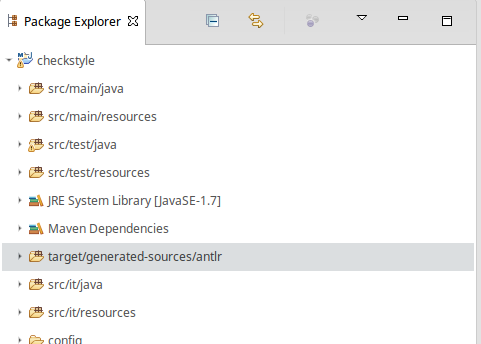
Then target/generated-sources/antlr folder will appear in Package Explorer.
Suppress Eclipse warnings
1) Use Eclipse compiler preferences from repo:
copy config/org.eclipse.jdt.core.prefs file to .settings folder of cloned repository on your PC. Restart Eclipse. Such folder does not exist in repository after clone and it is created by Eclipse during project import. If folder not present please import checkstyle to Eclipse first.