
Day 10 – Taking User Input in Python
🚀 Passionate DevOps Engineer with expertise in cloud computing, CI/CD, and automation. Skilled in Linux, Docker, Kubernetes, Terraform, Ansible, and Jenkins. I specialize in building scalable, secure, and automated infrastructures, optimizing software delivery pipelines, and integrating DevSecOps practices. Always exploring new ways to enhance deployment workflows and bridge the gap between development and operations.

Day 10 – Taking User Input in Python
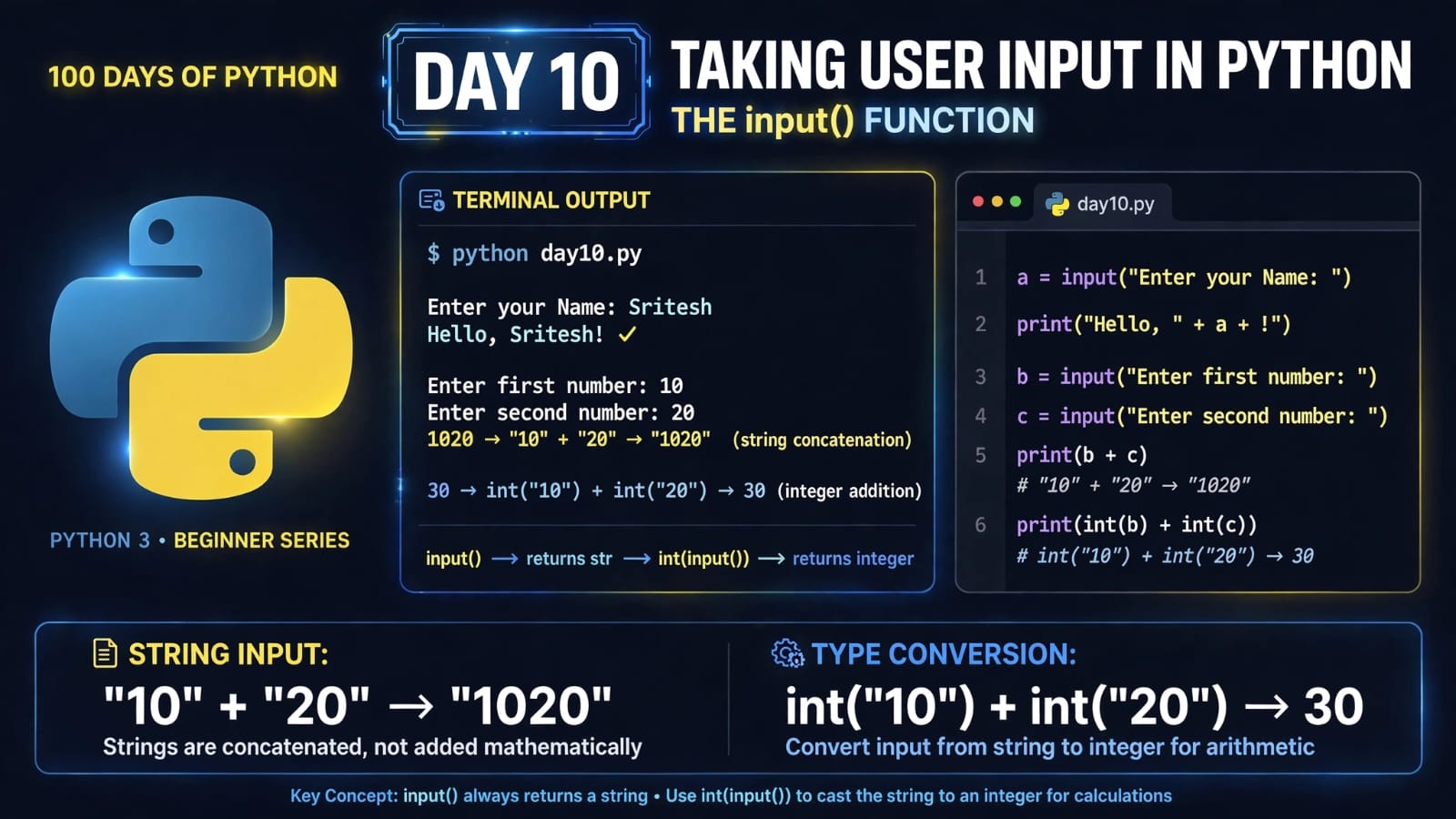
Welcome to Day 10 of 100 Days of Python!
Until now, most of our programs have worked with values that we directly wrote inside the code.
But what if we want the user to provide the data while the program is running?
That's where Python's built-in input() function comes in.
In this lesson, we will learn:
How to take input from a user
How
input()worksWhy
input()always returns a stringHow to take integer and float input
How to use a prompt with
input()How type casting works with user input
A common mistake when performing calculations with input
1. What is User Input?
User input is data provided by a user while a program is running.
Python provides the built-in input() function to take input from the user.
The basic syntax is:
variable = input()
For example:
name = input()

print(name)
If the user enters:
Sritesh
The output will be:
Sritesh
The value entered by the user is stored in the variable name.
2. How Does input() Work?
When Python encounters input(), the program pauses and waits for the user to enter something.
For example:
name = input()

print("Hello, " + name)
If the user enters:
Sritesh
The program produces:
Hello, Sritesh
So the basic flow is:
Program
   ↓
input()
   ↓
User enters data
   ↓
Python receives the data
   ↓
Value is stored in a variable
3. Important: input() Always Returns a String
This is one of the most important things to remember about input():
The
input()function always returns the user's input as a string (str).